
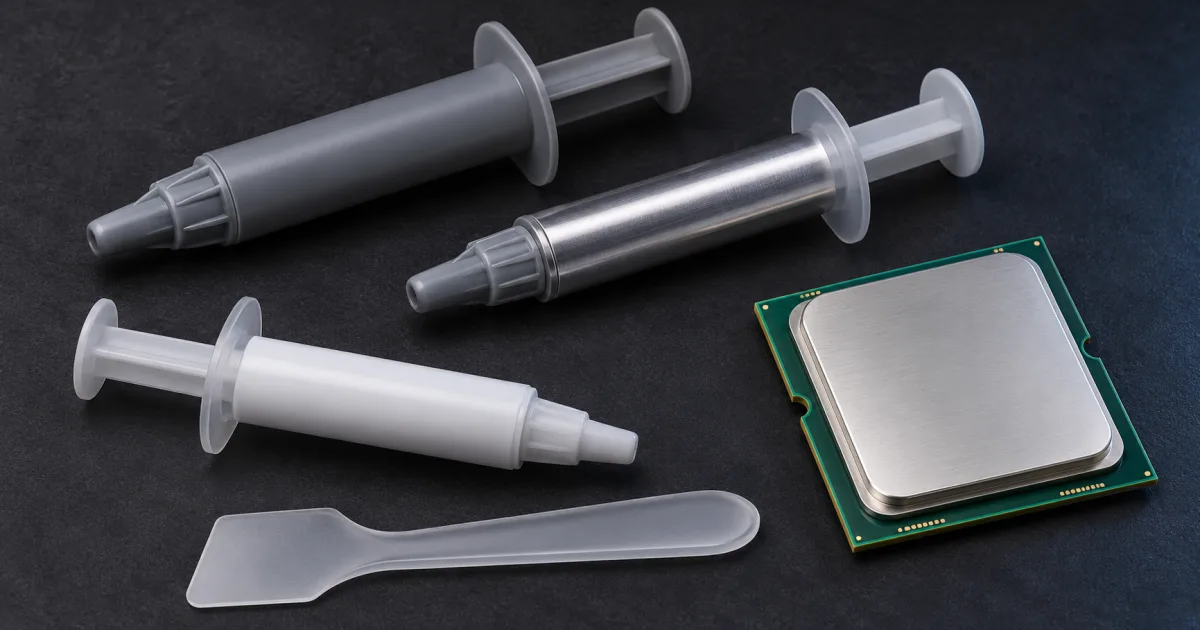

Searching for the best thermal paste CPU builders can actually trust? For most CPUs, the answer is Arctic MX-6. It’s easy to apply, it’s non-conductive, and in independent testing it sits close to pastes that cost far more. If you want the top performer for a high-end or overclocked chip, look at Thermal Grizzly Duronaut. If you want something nearly foolproof, Noctua NT-H2 is the safe pick.
The honest truth about thermal paste is that the gap between a good mainstream paste and the most expensive one is usually only a few degrees. Applying it correctly and mounting the cooler evenly matter at least as much as the brand. This guide helps you pick the right paste for your CPU, budget and patience, and explains when it’s actually time to repaste.
Table of Contents
How We Chose These Thermal Pastes (and Why W/mK Isn’t Enough)
We have not run our own lab tests on these pastes, and we won’t pretend otherwise. Our picks combine four things:
- Independent testing results from reviewers with controlled test benches, such as Tom’s Hardware’s long-running thermal paste rankings and igor’sLAB’s material measurements.
- Manufacturer specifications, especially electrical conductivity, curing time and claimed lifespan.
- Ease of application for first-time builders.
- Long-term stability: how well a paste resists drying out and “pump-out”, where heat cycles slowly push paste out from between the CPU and cooler.
Why the W/mK number on the box can mislead you
Thermal conductivity, written in W/mK, is the headline spec on most paste packaging. It’s tempting to just buy the highest number, but that number is a poor guide to real temperatures. Each manufacturer measures it differently, and some don’t publish it at all; Arctic doesn’t list a W/mK figure for MX-6. Independent measurements also often land well below marketing figures. In real use, how thin and even the layer is (the “bond line”) matters as much as the paste’s raw conductivity. A thin layer of a mid-range paste can beat a thick layer of a premium one.
Best Thermal Paste CPU Comparison at a Glance
| Paste | Best for | Conductive? | Ease of use | Price tier |
|---|---|---|---|---|
| Arctic MX-6 | Most builds (best overall) | No | Easy | $ |
| Thermal Grizzly Duronaut | High-end and overclocked CPUs, long-term stability | No | Moderate (thick) | $$ |
| Noctua NT-H2 | Beginners, AM5 builds | No | Very easy | $$ |
| Arctic MX-4 | Budget builds, bulk use | No | Very easy | $ |
| Thermal Grizzly Kryonaut | Enthusiasts, benchmarking | No | Moderate | $$ |
| Honeywell PTM7950 (pad) | Set-and-forget, laptops, GPUs | No | Easy (cut to size) | $$ |
| Liquid metal (e.g. Conductonaut) | Experts only, delidded CPUs | Yes | Hard and risky | $$ |
Top Thermal Paste Picks in Detail
1. Arctic MX-6: Best thermal paste for most people
MX-6 is Arctic’s successor to the hugely popular MX-4. Arctic says it has measurably lower thermal resistance than MX-4 and reaches full performance straight after application, with no burn-in or curing period. It’s neither electrically conductive nor capacitive, so a little squeeze-out won’t harm anything. Its thick consistency also makes it suitable for direct-die use on graphics cards and consoles. In Tom’s Hardware’s rankings it’s among the very best traditional pastes, close behind far pricier options.
- Pros: excellent performance for the price, non-conductive, no cure time, sold in sizes up to 8 g.
- Cons: slightly stiffer than MX-4, so it’s a touch harder to spread manually.
- Buy it if: you want one paste that does everything well without overthinking it.
2. Thermal Grizzly Duronaut: Best for performance and longevity
Duronaut is Thermal Grizzly’s newer high-end paste, launched in early 2025 and named after “durability”. It’s designed specifically to resist pump-out over many heat cycles, a known weak spot of some older high-performance pastes. Tom’s Hardware currently ranks it as the best-performing paste it has tested. It’s electrically non-conductive and needs no curing. The trade-off is a very thick consistency, so Thermal Grizzly includes a stiffer spatula to help spread it thinly.
- Pros: top-tier performance, built for long-term stability, includes applicators.
- Cons: more expensive, and thick enough to be fiddly for beginners.
- Buy it if: you run a hot, high-wattage CPU or simply want the best and don’t want to repaste for a long time.
3. Noctua NT-H2: Best for beginners
NT-H2 is Noctua’s second-generation hybrid compound. It spreads easily, needs no curing, and usually comes with cleaning wipes, which is handy if you’re removing old paste at the same time. Noctua also sells an AM5 Edition with a paste guard that keeps compound out of the cut-outs on Ryzen 7000/9000 heat spreaders. Performance is consistently near the top of mainstream pastes.
- Pros: very easy to apply, reliable results, cleaning wipes included, AM5-specific version available.
- Cons: costs a little more per gram than Arctic’s pastes.
- Buy it if: it’s your first build or repaste and you want the fewest surprises.
4. Arctic MX-4: Best budget thermal paste
MX-4 has been the default recommendation for over a decade, and it still holds up. It’s easy to spread, non-conductive, long-lasting, and very cheap per gram, especially in larger tubes. Newer pastes beat it by a degree or two, but for a budget build, an office PC or a repaste on an older system, that rarely matters.
- Pros: cheap, forgiving, widely available, proven over many years.
- Cons: slightly behind MX-6 and the premium options.
- Buy it if: you service several PCs or just want good-enough cooling for the least money.
5. Thermal Grizzly Kryonaut: Best for enthusiasts and benchmarking
Kryonaut has been an overclocker favorite for years and remains a strong performer. It’s non-conductive and spreads well. For everyday systems that run for years without maintenance, though, newer pastes designed for longevity (like Duronaut) are now the better choice. Kryonaut makes the most sense for test benches and short-term high-performance use.
- Pros: excellent performance, easy to spread.
- Cons: small, pricey tubes, and less focused on long-term stability than newer formulas.
6. Honeywell PTM7950: Best “set and forget” alternative
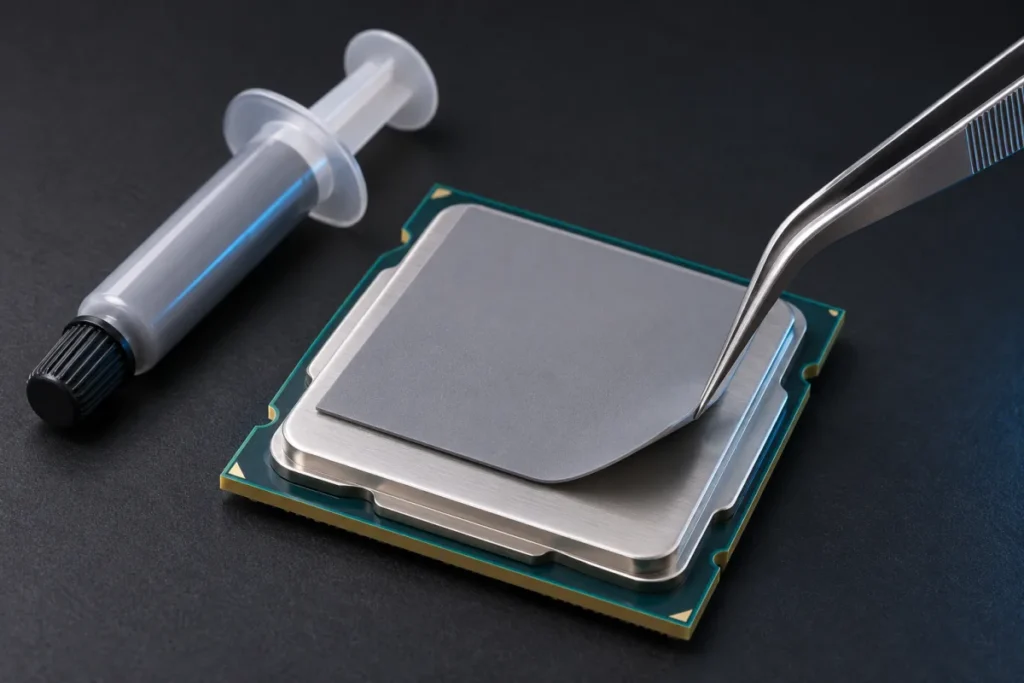
PTM7950 isn’t a paste; it’s a phase-change pad. At room temperature it’s a thin, slightly waxy sheet. Once it heats past roughly 45°C it softens and flows into a very thin layer, much like paste. Its big advantages are clean application (cut, peel, place) and excellent long-term stability, which is why it’s popular for laptops, GPUs and handhelds. On desktops it performs well, but it needs to get hot enough to fully phase-change, and counterfeit pads are common, so buy from a reputable seller.
7. Liquid metal: Only if you know what you’re doing
Liquid metal (such as Thermal Grizzly Conductonaut) can cool better than any paste, but it is electrically conductive and reacts with aluminum. A single stray drop can short a motherboard. It’s mainly for delidded CPUs and experienced builders. If you’re asking “what’s the best thermal paste?”, liquid metal isn’t the answer for you. If it ever ends up where it shouldn’t, see our guide to cleaning thermal paste out of a CPU socket.
Best Thermal Paste for AMD Ryzen 5 3600 and Similar Mid-Range CPUs
A common question on Reddit: “I still have a Ryzen 5 3600. What’s the best thermal paste for it?” The honest answer: almost any reputable paste will do. The Ryzen 5 3600 is a 65 W chip, and its heat output is moderate. The differences between MX-4, MX-6, NT-H2 and Duronaut on a CPU like this are typically small.
- Best value pick: Arctic MX-6 or MX-4.
- Easiest pick: Noctua NT-H2.
- If temperatures are high, look at your cooler first. The bundled Wraith Stealth cooler is small; an affordable tower cooler will lower temperatures far more than switching paste.
The same logic applies to other mid-range chips such as the Ryzen 5 5600 or Intel Core i5 models. Spend your money on a good cooler, and pick any of the pastes above.
How to Apply Thermal Paste Correctly
The best paste in the world won’t help if it’s applied badly. The short version:
- Clean both surfaces with 90%+ isopropyl alcohol and a lint-free cloth.
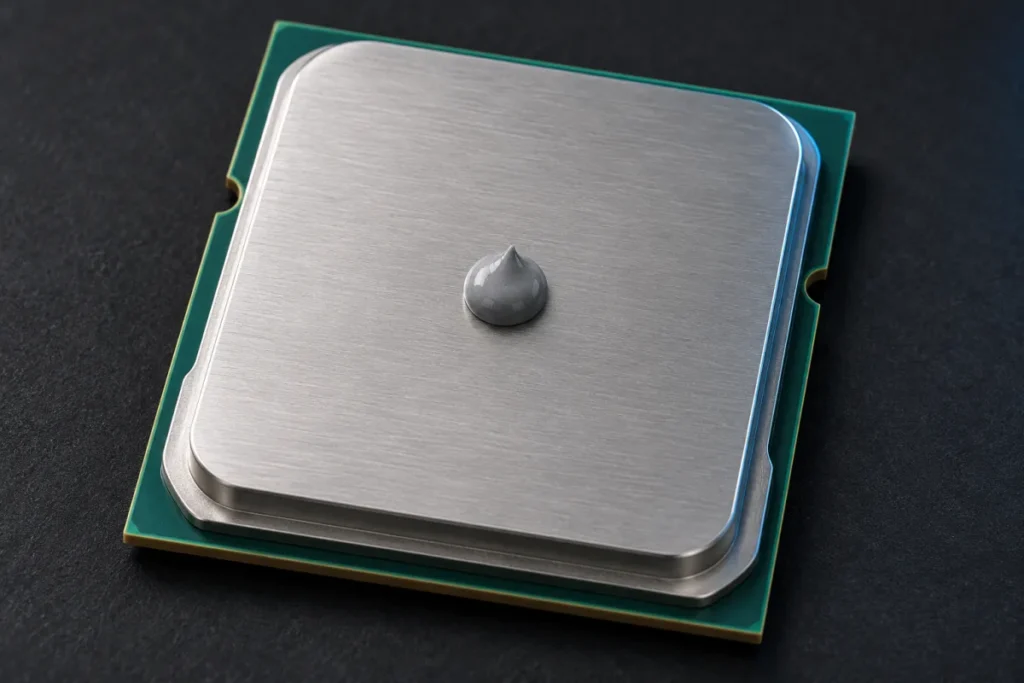
- Apply a pea-sized dot (about 4–5 mm) in the center of most desktop CPUs. Use a slightly smaller dot (3–4 mm) for AM5, and five small dots for rectangular Intel LGA1700/1851 chips.
- Lower the cooler straight down and tighten the screws diagonally, a few turns at a time.
- Check temperatures under load.
For pictures of the right and wrong amount, and how to read the spread pattern, see our full guide on how much thermal paste to apply.
When to Repaste Your CPU: Signs and Temperature Thresholds
Another real question from users: “My CPU hits 95°C under 100% load. Is it time for a repaste?” It depends on the CPU:
- Some modern CPUs are designed to run that hot. AMD’s Ryzen 7000 series, for example, is rated for a 95°C maximum and will boost until it reaches it. Hitting 95°C during a stress test on those chips can be normal.
- On older or mid-range CPUs like the Ryzen 5 3600, regularly hitting the temperature limit in games or everyday tasks usually means something is wrong. Check the cooler, airflow, dust and paste.
Signs it’s worth repasting:
- Temperatures have climbed steadily over months, even after cleaning dust out.
- Your fans run louder than they used to for the same workload.
- The PC is several years old and has never been repasted.
- You removed the cooler for any reason. Always clean and reapply then.
- You see dry, cracked or crumbly paste when you check.
Before you repaste, rule out the cheaper fixes: clean the dust out of the heatsink and fans, check that the cooler is tightened evenly, and make sure the case has decent airflow.
How Long Does Thermal Paste Last? Brand and Type Comparison
One Reddit user summed it up well: how long paste lasts depends on the brand. Here’s how the main types compare, based on manufacturer claims and general user experience:
| Type | Typical lifespan in a desktop | Notes |
|---|---|---|
| Quality ceramic/carbon pastes (MX-4, MX-6, NT-H2) | Several years | Arctic describes MX-6 as non-drying and non-bleeding for constant long-term performance |
| Long-life formulas (Duronaut) | Several years, built to resist pump-out | Designed specifically for stability over many heat cycles |
| Phase-change pads (PTM7950) | Very long | Excellent stability, popular for laptops and GPUs |
| Cheap generic or stock paste | Varies widely | Can dry out sooner, especially in hot systems |
| Liquid metal | Long, but can react with or stain copper | Requires inspection on a reused cooler |
Lifespan also depends on conditions. Laptops, small cases and hot GPUs cycle through big temperature swings, which shortens paste life more than a cool desktop does. An unopened tube also has a shelf life, so an old, half-dried syringe from years ago may be worth replacing.
Budget vs. Premium: Is Expensive Thermal Paste Worth It?
For most people, no. A good mainstream paste like MX-6 or MX-4 gets you most of the way there for the least money. Premium pastes such as Duronaut make sense when:
- you run a high-wattage CPU where every degree affects boost clocks,
- you overclock or benchmark,
- you want to avoid repasting for as long as possible, or
- it’s a hard-to-service system, like a compact build or a GPU with a fiddly teardown.
Value tip: larger tubes are much cheaper per gram. If you build or repaste PCs regularly, a 4–8 g tube of a mainstream paste is the best deal. For a single build, a 2 g tube is plenty. You’ll find thermal compounds for both cases in our thermal paste range, and tidy PC case accessories help keep airflow and temperatures in check.
Frequently Asked Questions
What is the best thermal paste for a CPU?
For most builds, Arctic MX-6 offers the best balance of performance, safety and price. Thermal Grizzly Duronaut is the top performer for high-end CPUs, and Noctua NT-H2 is the easiest choice for beginners.
What’s the best thermal paste for a Ryzen 5 3600?
Any reputable non-conductive paste works well on a 65 W chip like the Ryzen 5 3600; Arctic MX-6, MX-4 or Noctua NT-H2 are all good picks. If temperatures are high, upgrading from the stock cooler will help more than changing paste.
My CPU hits 95°C under full load. Do I need to repaste?
Not necessarily. Some CPUs, like AMD’s Ryzen 7000 series, are designed to run up to 95°C. On older or mid-range chips, regularly hitting the limit points to a cooling problem. Clean the dust, check the cooler mount and airflow, and repaste if the paste is old or the cooler has been removed.
How long does thermal paste last?
Quality pastes typically last several years in a desktop. Hot laptops and GPUs may need repasting sooner. Rising temperatures over time are the best sign that paste needs replacing.
Does a higher W/mK rating mean better cooling?
Not reliably. Manufacturers measure W/mK in different ways, and real-world results depend heavily on how thin and even the paste layer is. Independent test results are a better guide than the number on the box.
Is the thermal paste that comes with my cooler good enough?
Usually, yes. Pre-applied paste on stock and aftermarket coolers is fine for a first install. Buy your own tube when you need to remove and remount the cooler, or if you want a small temperature improvement.
Is liquid metal better than thermal paste?
It can cool better, but it is electrically conductive and reacts with aluminum. For almost everyone, a quality non-conductive paste is the safer and smarter choice.